Flume日志搜集组件解析
简介 主要描述 Apache Flume是一个分布式,可靠且可用的系统:用于有效地从许多不同的源收集、聚合和移动大量日志数据到一个集中式的数据存储区。
不只限于日志数据。因为数据源可以定制也可以被用来传输大量事件数据
这些数据不仅仅包括网络通讯数据、社交媒体产生的数据、电子邮件信息等等。
历史 Apache Flume 是 Apache 基金会的顶级项目,在加入 Apache 之前由 cloudera 公司开发以及维护。
Apache Flume 目前有两种主版本: 0.9.x 和 1.x。
其中 0.9.x 是历史版本,我们称之为 Flume OG(original generation)。
2011 年 10 月 22 号,cloudera 完成了 Flume-728,对 Flume 进行了里程碑式的改动:重构核心组件、核心配置以及代码架构
重构后的版本统称为 Flume NG(next generation),也就是 1.x 版本。
对比Logstash优势
Flume注重数据事务,注重传输的事务正确性
因为有些Flume Channel支持数据会持久化,所以不存在Logstash Buffer的数据丢失
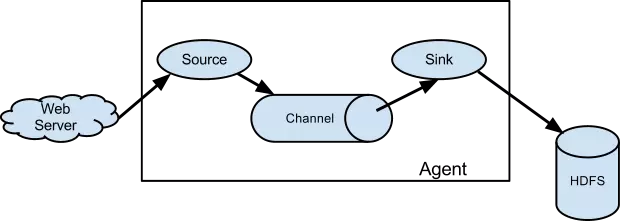
架构 数据流模型
其中最核心的三个组件是 Source、Chanel 以及 Slink。
Source 消费由外部源(如Web服务器)传递给它的事件。外部源以一定的格式发送数据给 Flume,这个格式的定义由目标 Flume Source 来确定。
例如:一个Avro Flume source可以从 Avro(Avro是一个hadoop的一个子项目,基于二进制数据传输的高性能中间件)
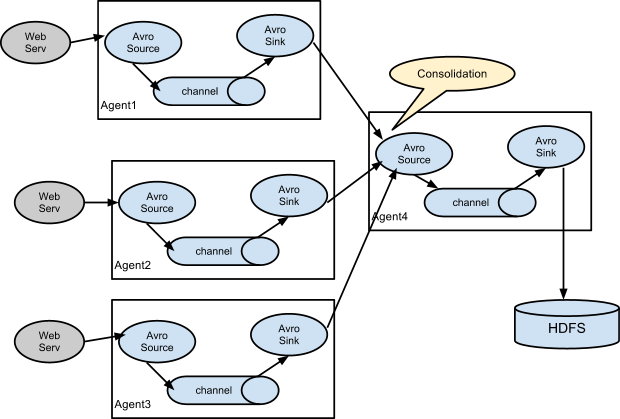
客户端接收 Avro 事件,也可以从其他Flume Agents(该 Flume agents 有 Avro sink)接收 Avro 事件。
同样,我们可以定义一个Thrift Flume Source接收来自Thrift Sink、Flume Thrift RPC
客户端或者其他任意客户端(该客户端可以使用任何语言编写,只要满足 Flume thrift 协议)的事件。
Channel 可以理解为缓存区,用来保存从Source那拿到的数据,直到Flume Slink将数据消费。
File Chanel是一个例子,它将数据保存在文件系统中(当然你可以将数据放在内存中)。
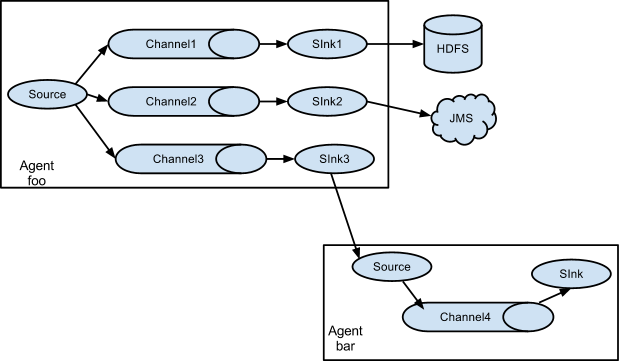
Slink 从 channel 消费完数据就会将数据从Channel中清除,随后将数据放到外部存储系统例如HDFS(使用 Flume HDFS Sink)或发送到其他 Flume Agent的Source中。
不管是Source还是Slink都是异步发送和消费数据。
复杂的流 合并情景
多Agent流情景
优势 可靠性 事件被存储在每个Flume Agent的Channel中。
随后这些事件会发送到流中的下一个Flume Agent或者设备存储中(例如 HDFS)。
只有事件已经被存储在下一个Flume Agent的Channel中或设备存储中时,当前Channel会清除该事件。
这种机制保证了流在端到端的传输中具有可靠性。
Flume使用事务方法(transactional approach)来保证事件的可靠传输。
在 source 和 slink 中,事件的存储以及恢复作为事务进行封装,存放事件到 channel 中以及从 channel 中拉取事件均是事务性的。
这保证了流中的事件在节点之间传输是可靠的。
可恢复 事件在 channel 中进行,该 channel 负责保障事件从故障中恢复。
Flume 支持一个由本地文件系统支持的持久化文件(文件模式:channel.type="file")channel。
同样也支持内存模式(channel.type="memmory"),即将事件保存在内存队列中。
显然内存模式相对与文件模型性能会更好,但是当 agent 进程不幸挂掉时,内存模式下存储在 channel 中的事件将丢失,无法进行恢复。
使用 Flume agent 的配置保存在一个本地配置文件中conf/flume-conf.properties。
可以在同一配置文件中指定一个或多个 agent 的配置。
配置文件指定了 agnet 中每个 source、channel、slink 的属性,以及三者如何组合形成数据流。
流中的每一个组件(source、channel、slink)都有自己的名称、类型以及一系列配置属性。例如以下组件
Channel Memory Channel Memory Channel是使用内存来存储Event,使用内存的意味着数据传输速率会很快,但是当Agent挂掉后,存储在Channel中的数据将会丢失。
Property Name
Default
Description
type –
类型指定为:memory
capacity
100
存储在channel中的最大容量
transactionCapacity
100
从一个source中去或者给一个sink,每个事务中最大的事件数
keep-alive
3
对于添加或者删除一个事件的超时的秒钟
byteCapacityBufferPercentage
20
定义缓存百分比
byteCapacity
see description
Channel中允许存储的最大字节总数
配置 1 2 3 4 5 6 a1.channels = c1 a1.channels.c1.type = memory a1.channels.c1.capacity = 10000 a1.channels.c1.transactionCapacity = 10000 a1.channels.c1.byteCapacityBufferPercentage = 20 a1.channels.c1.byteCapacity = 800000
除此之外还有FileChannel,KafkaChannel,JDBC Channel,具体介绍于:http://flume.apache.org/releases/content/1.9.0/FlumeUserGuide.html
Source Spooling Directory Source Spooling Directory Source可以获取硬盘上”spooling”目录的数据
这个Source将监视指定目录是否有新文件,如果有新文件的话,就解析这个新文件。
事件的解析逻辑是可插拔的。在文件的内容所有的都读取到Channel之后
Spooling Directory Source会重名或者是删除该文件以表示文件已经读取完成。
不像Exec Source,这个Source是可靠的,且不会丢失数据。即使Flume重启或者被Kill。但是需要注意如下两点:
1:如果文件在放入spooling目录之后还在写,那么Flume会打印错误日志,并且停止处理该文件。
2:如果文件之后重复使用,Flume将打印错误日志,并且停止处理。
为了避免以上问题,我们可以使用唯一的标识符来命令文件,例如:时间戳。
配置
Property Name
Default
Description
channels –
type –
组件类型名称需要为“spooldir”。
spoolDir –
要从中读取文件的目录。
fileSuffix
.COMPLETED
文件的后缀
deletePolicy
never
何时删除已完成的文件: never or immediate
fileHeader
false
是否添加存储绝对路径添加到header中,解析出来的event在header上将添加一个属性
fileHeaderKey
file
当将绝对路径附加到event header使用的Key。
basenameHeader
false
是否添加存储文件名的标题到event header中。
basenameHeaderKey
basename
将文件名附加到event header时使用的Key。
includePattern
^.*$
指定要包含哪些文件的正则表达式。它可以和ignorePattern一起使用。
ignorePattern
^$
指定要忽略(跳过)哪些文件的正则表达式。它可以和includePattern一起使用。
trackerDir
.flumespool
目录存储与文件处理相关的元数据。
consumeOrder
oldest
消费spooling目录文件的规则,分别有:oldest,youngest和random。在oldest 和 youngest的情况下,
pollDelay
500
轮询新文件时使用的延迟(毫秒)。
recursiveDirectorySearch
false
是否监视要读取的新文件的子目录。
maxBackoff
4000
如果Channel已经满了,那么该Source连续尝试写入该Channel的最长时间(单位:毫秒)。
batchSize
100
批量传输到Channel的粒度。
inputCharset
UTF-8
字符集
decodeErrorPolicy
FAIL在文件中有不可解析的字符时的解析策略。FAIL: 抛出一个异常,并且不能解析该文件。REPLACE: 取代不可IGNORE: 丢弃不可能解析字符序列。
deserializer
LINE自定序列化的方式,自定的话,必须实现EventDeserializer.Builder.
deserializer.*
bufferMaxLines
–
已废弃
bufferMaxLineLength
5000
(不推荐使用) 一行中最大的长度,可以使用deserializer.maxLineLength代替。
selector.type
replicating
replicating(复制) 或 multiplexing(复用)
selector.*
取决于selector.type的值
interceptors
–
空格分割的interceptor列表。
interceptors.*
案例 一个a-1的Agent Sources的例子:
1 2 3 4 5 6 7 a1.channels = ch-1 a1.sources = src-1 a1.sources.src-1.type = spooldir a1.sources.src-1.channels = ch-1 a1.sources.src-1.spoolDir = /var/log/apache/flumeSpool a1.sources.src-1.fileHeader = true
完整的例子
1 2 3 4 5 6 7 8 9 10 11 12 13 14 15 16 17 18 19 20 21 22 23 24 25 26 a1.sources = source1 a1.sinks = sink1 a1.channels = channel1 #sources a1.sources.source1.type = spooldir a1.sources.source1.channels = channel1 a1.sources.source1.spoolDir = /data/workspace/logs a1.sources.source1.fileHeader = true a1.sources.source1.fileHeaderKey = file a1.sources.source1.basenameHeader = true a1.sources.source1.basenameHeaderKey = basename a1.sinks.sink1.type = file_roll a1.sinks.sink1.sink.directory = /data/workspace/file_roll a1.sinks.sink1.sink.rollInterval = 300 a1.sinks.sink1.sink.serializer = TEXT a1.sinks.sink1.sink.batchSize = 100 a1.channels.channel1.type = memory a1.channels.channel1.capacity = 1000 a1.channels.channel1.transactionCapacity = 100 a1.sources.source1.channels = channel1 a1.sinks.sink1.channel = channel1
组件存放目录
192.168.4.218 /data/workspace/apache-flume-1.8.0-bin
执行命令
bin/flume-ng agent --conf conf --conf-file conf/flume-directory.properties --name a1 -Dflume.root.logger=INFO,console
解析
配置相关
1 2 3 4 5 6 7 8 9 10 11 12 13 14 15 16 17 18 19 20 21 22 23 24 25 26 27 28 29 30 31 32 33 34 35 36 37 38 39 40 41 42 43 44 45 46 47 48 49 50 51 52 53 54 55 56 @Override public synchronized void configure (Context context) spoolDirectory = context.getString(SPOOL_DIRECTORY); Preconditions.checkState(spoolDirectory != null , "Configuration must specify a spooling directory" ); completedSuffix = context.getString(SPOOLED_FILE_SUFFIX, DEFAULT_SPOOLED_FILE_SUFFIX); deletePolicy = context.getString(DELETE_POLICY, DEFAULT_DELETE_POLICY); fileHeader = context.getBoolean(FILENAME_HEADER, DEFAULT_FILE_HEADER); fileHeaderKey = context.getString(FILENAME_HEADER_KEY, DEFAULT_FILENAME_HEADER_KEY); basenameHeader = context.getBoolean(BASENAME_HEADER, DEFAULT_BASENAME_HEADER); basenameHeaderKey = context.getString(BASENAME_HEADER_KEY, DEFAULT_BASENAME_HEADER_KEY); batchSize = context.getInteger(BATCH_SIZE, DEFAULT_BATCH_SIZE); inputCharset = context.getString(INPUT_CHARSET, DEFAULT_INPUT_CHARSET); decodeErrorPolicy = DecodeErrorPolicy.valueOf( context.getString(DECODE_ERROR_POLICY, DEFAULT_DECODE_ERROR_POLICY) .toUpperCase(Locale.ENGLISH)); ignorePattern = context.getString(IGNORE_PAT, DEFAULT_IGNORE_PAT); trackerDirPath = context.getString(TRACKER_DIR, DEFAULT_TRACKER_DIR); deserializerType = context.getString(DESERIALIZER, DEFAULT_DESERIALIZER); deserializerContext = new Context(context.getSubProperties(DESERIALIZER + "." )); consumeOrder = ConsumeOrder.valueOf(context.getString(CONSUME_ORDER, DEFAULT_CONSUME_ORDER.toString()).toUpperCase(Locale.ENGLISH)); Integer bufferMaxLineLength = context.getInteger(BUFFER_MAX_LINE_LENGTH); if (bufferMaxLineLength != null && deserializerType != null && deserializerType.equalsIgnoreCase(DEFAULT_DESERIALIZER)) { deserializerContext.put(LineDeserializer.MAXLINE_KEY, bufferMaxLineLength.toString()); } maxBackoff = context.getInteger(MAX_BACKOFF, DEFAULT_MAX_BACKOFF); if (sourceCounter == null ) { sourceCounter = new SourceCounter(getName()); } }
启动
1 2 3 4 5 6 7 8 9 10 11 12 13 14 15 16 17 18 19 20 21 22 23 24 25 26 27 28 29 30 31 32 33 34 35 36 37 38 39 40 @Override public synchronized void start () logger.info("SpoolDirectorySource source starting with directory: {}" , spoolDirectory); executor = Executors.newSingleThreadScheduledExecutor(); File directory = new File(spoolDirectory); try { reader = new ReliableSpoolingFileEventReader.Builder() .spoolDirectory(directory) .completedSuffix(completedSuffix) .ignorePattern(ignorePattern) .trackerDirPath(trackerDirPath) .annotateFileName(fileHeader) .fileNameHeader(fileHeaderKey) .annotateBaseName(basenameHeader) .baseNameHeader(basenameHeaderKey) .deserializerType(deserializerType) .deserializerContext(deserializerContext) .deletePolicy(deletePolicy) .inputCharset(inputCharset) .decodeErrorPolicy(decodeErrorPolicy) .consumeOrder(consumeOrder) .build(); } catch (IOException ioe) { throw new FlumeException("Error instantiating spooling event parser" , ioe); } Runnable runner = new SpoolDirectoryRunnable(reader, sourceCounter); executor.scheduleWithFixedDelay( runner, 0 , POLL_DELAY_MS, TimeUnit.MILLISECONDS); super .start(); logger.debug("SpoolDirectorySource source started" ); sourceCounter.start(); }
执行流程
1 2 3 4 5 6 7 8 9 10 11 12 13 14 15 16 17 18 19 20 21 22 23 24 25 26 27 28 29 30 31 32 33 34 35 36 37 38 39 40 41 42 43 44 45 46 47 48 49 50 51 52 53 54 55 56 57 58 59 60 61 62 63 64 65 66 67 68 69 70 71 72 73 74 75 76 77 78 79 80 81 82 83 84 85 86 87 88 89 90 91 92 93 94 95 96 97 98 99 100 101 102 103 104 105 106 107 108 109 110 111 112 113 114 115 116 private class SpoolDirectoryRunnable implements Runnable private ReliableSpoolingFileEventReader reader; private SourceCounter sourceCounter; public SpoolDirectoryRunnable (ReliableSpoolingFileEventReader reader, SourceCounter sourceCounter) this .reader = reader; this .sourceCounter = sourceCounter; } @Override public void run () int backoffInterval = 250 ; try { while (!Thread.interrupted()) { List<Event> events = reader.readEvents(batchSize); if (events.isEmpty()) { break ; } sourceCounter.addToEventReceivedCount(events.size()); sourceCounter.incrementAppendBatchReceivedCount(); try { getChannelProcessor().processEventBatch(events); reader.commit(); } catch (ChannelException ex) { logger.warn("The channel is full, and cannot write data now. The " + "source will try again after " + String.valueOf(backoffInterval) + " milliseconds" ); hitChannelException = true ; if (backoff) { TimeUnit.MILLISECONDS.sleep(backoffInterval); backoffInterval = backoffInterval << 1 ; backoffInterval = backoffInterval >= maxBackoff ? maxBackoff : backoffInterval; } continue ; } backoffInterval = 250 ; sourceCounter.addToEventAcceptedCount(events.size()); sourceCounter.incrementAppendBatchAcceptedCount(); } } catch (Throwable t) { logger.error("FATAL: " + SpoolDirectorySource.this .toString() + ": " + "Uncaught exception in SpoolDirectorySource thread. " + "Restart or reconfigure Flume to continue processing." , t); hasFatalError = true ; Throwables.propagate(t); } } } public List<Event> readEvents (int numEvents) throws IOException if (!committed) { if (!currentFile.isPresent()) { throw new IllegalStateException("File should not roll when " + "commit is outstanding." ); } logger.info("Last read was never committed - resetting mark position." ); currentFile.get().getDeserializer().reset(); } else { if (!currentFile.isPresent()) { currentFile = getNextFile(); } if (!currentFile.isPresent()) { return Collections.emptyList(); } } EventDeserializer des = currentFile.get().getDeserializer(); List<Event> events = des.readEvents(numEvents); while (events.isEmpty()) { logger.info("Last read took us just up to a file boundary. Rolling to the next file, if there is one." ); retireCurrentFile(); currentFile = getNextFile(); if (!currentFile.isPresent()) { return Collections.emptyList(); } events = currentFile.get().getDeserializer().readEvents(numEvents); } if (annotateFileName) { String filename = currentFile.get().getFile().getAbsolutePath(); for (Event event : events) { event.getHeaders().put(fileNameHeader, filename); } } if (annotateBaseName) { String basename = currentFile.get().getFile().getName(); for (Event event : events) { event.getHeaders().put(baseNameHeader, basename); } } committed = false ; lastFileRead = currentFile; return events; }
Taildir Source 由于SpoolDirectorySource监听目录下的文件不允许动态变化以及无法监听目录嵌套子目录
所以使用这个组件即可消除限制,ExecSource + SpoolDirectorySource 的功能
配置
Property Name
Default
Description
channels –
type –
组件类型名称需要为TAILDIR.
filegroups –
文件组的以空格分隔的列表。每个文件组表示要跟踪的一组文件.
filegroups.<filegroupName>
–
文件组的绝对路径。正则表达式(而不是文件系统模式)只能用于文件名.
positionFile
~/.flume/taildir_position.json
文件的JSON格式,以记录inode、绝对路径和每个尾随文件的最后位置.
headers.<filegroupName>.<headerKey>
–
byteOffsetHeader
false
是否将尾部行的字节偏移量添加到名为“byteoffset”的header中。
skipToEnd
false
如果文件没有写在位置文件上,是否跳过位置到EOF。
idleTimeout
120000
关闭非活动文件的时间(ms)。
writePosInterval
3000
将每个文件的最后一个位置写入位置文件的间隔时间(ms)。
batchSize
100
读取的行数,默认是100
backoffSleepIncrement
1000
重新尝试轮询新数据之前的时间延迟增量,上一次尝试时未发现任何新数据。
maxBackoffSleep
5000
每次重新尝试轮询新数据之间的最大时间延迟,上一次尝试未发现任何新数据。
cachePatternMatching
true
对于包含数千个文件的目录,列出目录并应用filename regex模式可能会很耗时。
fileHeader
false
是否添加header存储文件绝对路径
fileHeaderKey
file
fileHeader启用时,使用的key
案例 1 2 3 4 5 6 7 8 9 10 11 12 13 14 15 16 17 18 19 20 21 22 23 24 25 a1.sources = source1 a1.sinks = sink1 a1.channels = channel1 #sources描述/配置Source a1.sources.source1.type=TAILDIR a1.sources.source1.filegroups=g1 a1.sources.source1.filegroups.g1=/data/workspace/logs/.* a1.sources.source1.positionFile=/data/workspace/apache-flume-1.8.0-bin/taildir_position.json a1.sources.source1.channels=c a1.sources.source1.fileHeader=true a1.sinks.sink1.type = file_roll a1.sinks.sink1.sink.directory = /data/workspace/file_roll a1.sinks.sink1.sink.rollInterval = 300 a1.sinks.sink1.sink.serializer = TEXT a1.sinks.sink1.sink.batchSize = 100 a1.channels.channel1.type = memory a1.channels.channel1.capacity = 1000 a1.channels.channel1.transactionCapacity = 100 a1.sources.source1.channels = channel1 a1.sinks.sink1.channel = channel1
组件存放目录
192.168.4.218 /data/workspace/apache-flume-1.8.0-bin
执行命令
bin/flume-ng agent --conf conf --conf-file conf/flume-taildir.properties --name a1 -Dflume.root.logger=INFO,console
问题
以上问题可直接使用以下项目解决,将target打出的jar包丢入${flume目录}/lib下
http://192.168.4.210/yanfa/flume-taildir-source
并按照以上项目的flume source配置方式进行配置
Interceptor 简介 拦截在source层对event的包装、筛选过滤、提取相关数据等作用
案例 1 2 3 4 5 6 7 8 9 10 11 12 13 #sources描述/配置Source a1.sources.source1.type= com.ybxx.flume.source.taildir.TaildirMultilineSource a1.sources.source1.filegroups=g1 a1.sources.source1.filegroups.g1=/data/workspace/logs/.* a1.sources.source1.positionFile=/data/workspace/apache-flume-1.8.0-bin/taildir_position.json a1.sources.source1.channels=c a1.sources.source1.lineContains=ERROR|WARN|DEBUG a1.sources.source1.fileHeader=true # interceptors使用 a1.sources.source1.interceptors=i1 a1.sources.source1.interceptors.i1.type=timestamp
Sink ElasticSearchSink 配置
Property Name
Default
Description
channel –
type –
组件名称org.apache.flume.sink.elasticsearch.ElasticSearchSink
hostNames –
主机名的逗号分隔列表:端口,如果端口不存在将使用默认端口’ 9300 ‘
indexName
flume
将添加日期的索引的名称。
indexType
logs
支持为文档建立索引的类型,默认为“log”。%{header}用指定事件头的值替换
clusterName
elasticsearch
要连接的ElasticSearch集群的名称
batchSize
100
每个txn要写入的事件数。
ttl
–
TTL在设置的时候会自动删除过期的文档,如果不设置则永远不会自动删除。TTL只接受前面整数形式的整数,http://www.elasticsearch.org/guide/reference/mapping/ttl-field/ 。
serializer
org.apache.flume.sink.elasticsearch.ElasticSearchLogStashEventSerializer
要使用的ElasticSearchIndexRequestBuilderFactory或ElasticSearchEventSerializer。这两个类的实现都可以接受,但最好是ElasticSearchIndexRequestBuilderFactory。
serializer.*
–
要传递给序列化器的属性。
案例 1 2 3 4 5 6 7 8 9 10 11 12 13 14 15 16 17 18 19 20 21 22 23 24 25 26 27 28 29 a1.sources = source1 a1.sinks = sink1 a1.channels = channel1 #sources描述/配置Source a1.sources.source1.type=TAILDIR a1.sources.source1.filegroups=g1 a1.sources.source1.filegroups.g1=/data/workspace/logs/.* a1.sources.source1.positionFile=/data/workspace/apache-flume-1.8.0-bin/taildir_position.json a1.sources.source1.channels=c a1.sources.source1.fileHeader=true a1.sinks.sink1.type = org.apache.flume.sink.elasticsearch.ElasticSearchSink a1.sinks.sink1.hostNames = 192.168.4.219:9300 a1.sinks.sink1.indexName = log_index a1.sinks.sink1.indexType = log_type a1.sinks.sink1.clusterName = CollectorDBCluster a1.sinks.sink1.batchSize = 500 a1.sinks.sink1.ttl = 5d a1.sinks.sink1.serializer = org.apache.flume.sink.elasticsearch.ElasticSearchDynamicSerializer a1.channels.channel1.type = memory a1.channels.channel1.capacity = 1000 a1.channels.channel1.transactionCapacity = 100 a1.sources.source1.channels = channel1 a1.sinks.sink1.channel = channel1
组件存放目录
192.168.4.218 /data/workspace/apache-flume-1.8.0-bin
因flume不支持es的新版本,所以需要自定义ElasticSearchSink
当前问题可直接使用以下项目解决,将以下项目编译,在target打出的zip包内的jar包丢入${flume目录}/lib下
flume-elasticsearch-sink
由以上项目得到的配置文件
Property Name
Default
Description
channel -
type -
The component type name, has to be com.cognitree.flume.sink.elasticsearch.ElasticSearchSink
es.cluster.name elasticsearch
Name of the elasticsearch cluster to connect to
es.client.hosts -
Comma separated hostname:port pairs ex: host1:9300,host2:9300. The default port is 9300
es.bulkActions
1000
The number of actions to batch into a request
es.bulkProcessor.name
flume
Name of the bulk processor
es.bulkSize
5
Flush the bulk request every mentioned size
es.bulkSize.unit
MB
Bulk request unit, supported values are KB and MB
es.concurrent.request
1
The maximum number of concurrent requests to allow while accumulating new bulk requests
es.flush.interval.time
10s
Flush a batch as a bulk request every mentioned seconds irrespective of the number of requests
es.backoff.policy.time.interval
50M
Backoff policy time interval, wait initially for the 50 miliseconds
es.backoff.policy.retries
8
Number of backoff policy retries
es.client.transport.sniff
false
Enable or disable the sniff feature of the elastic search
es.client.transport.ignore_cluster_name
false
Ignore cluster name validation of connected nodes
es.client.transport.ping_timeout
5s
The time to wait for a ping response from a node
es.client.transport.nodes_sampler_interval
5s
How often to sample / ping the nodes listed and connected
es.index
default
Index name to be used to store the documents
es.type
default
Type to be used to store the documents
es.index.builder
com.cognitree. flume.sink. elasticsearch. StaticIndexBuilder
com.cognitree.flume.sink.elasticsearch的实现。IndexBuilder接口
es.serializer
com.cognitree. flume.sink. elasticsearch. SimpleSerializer
com.cognitree.flume.sink.elasticsearch的实现。序列化器接口
es.serializer.csv.fields
-
逗号分隔的csv字段名与数据类型,即column1:type1,column2:type2,支持的数据类型有string, boolean, int和float
es.serializer.csv.delimiter
,(comma)
事件体中数据的分隔符
es.serializer.avro.schema.file
-
模式配置文件的绝对路径
1 2 3 4 5 6 7 8 9 10 11 12 13 14 15 16 17 18 19 20 21 22 23 a1.sinks.sink1.type=com.cognitree.flume.sink.elasticsearch.ElasticSearchSink a1.sinks.sink1.es.bulkActions=5 a1.sinks.sink1.es.bulkProcessor.name=bulkprocessor a1.sinks.sink1.es.bulkSize=5 a1.sinks.sink1.es.bulkSize.unit=MB a1.sinks.sink1.es.concurrent.request=1 a1.sinks.sink1.es.flush.interval.time=5m a1.sinks.sink1.es.backoff.policy.time.interval=50M a1.sinks.sink1.es.backoff.policy.retries=8 a1.sinks.sink1.es.cluster.name=CollectorDBCluster a1.sinks.sink1.es.client.transport.sniff=false a1.sinks.sink1.es.client.transport.ignore_cluster_name=false a1.sinks.sink1.es.client.transport.ping_timeout=5s a1.sinks.sink1.es.client.transport.nodes_sampler_interval=5s a1.sinks.sink1.es.client.hosts=192.168.4.219 a1.sinks.sink1.es.client.port=9300 a1.sinks.sink1.es.index=flume-test a1.sinks.sink1.es.type=flume-test a1.sinks.sink1.es.index.builder=com.cognitree.flume.sink.elasticsearch.HeaderBasedIndexBuilder a1.sinks.sink1.es.serializer=com.cognitree.flume.sink.elasticsearch.ElasticSearchLogStashEventSerializer a1.sinks.sink1.es.serializer.csv.fields=id:int,name:string a1.sinks.sink1.es.serializer.csv.delimiter=, a1.sinks.sink1.es.serializer.avro.schema.file=/usr/local/schema.avsc
执行命令
bin/flume-ng agent --conf conf --conf-file conf/flume-es.properties --name a1 -Dflume.root.logger=INFO,console
Kibana 增加Shield 设置不同的权限级别
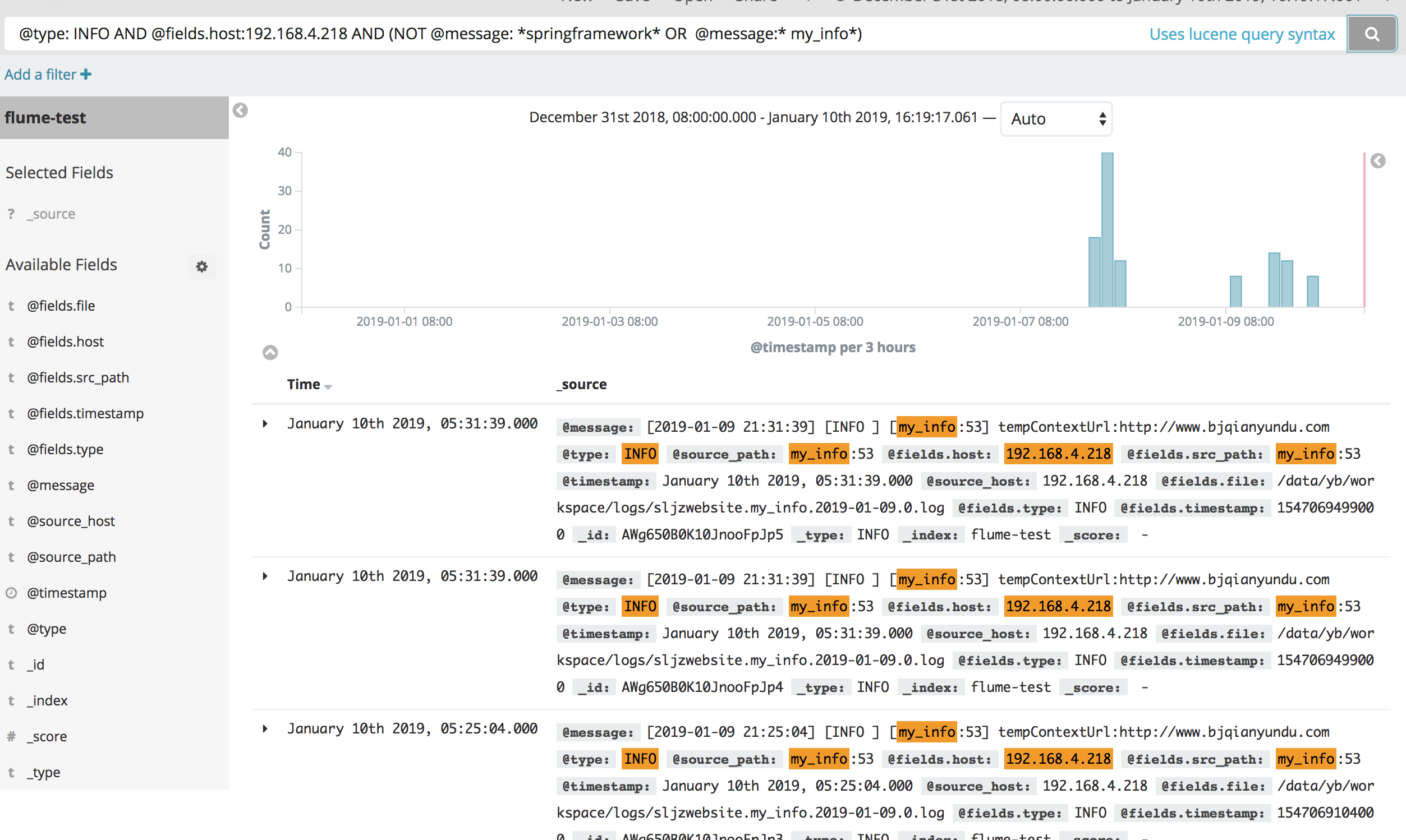
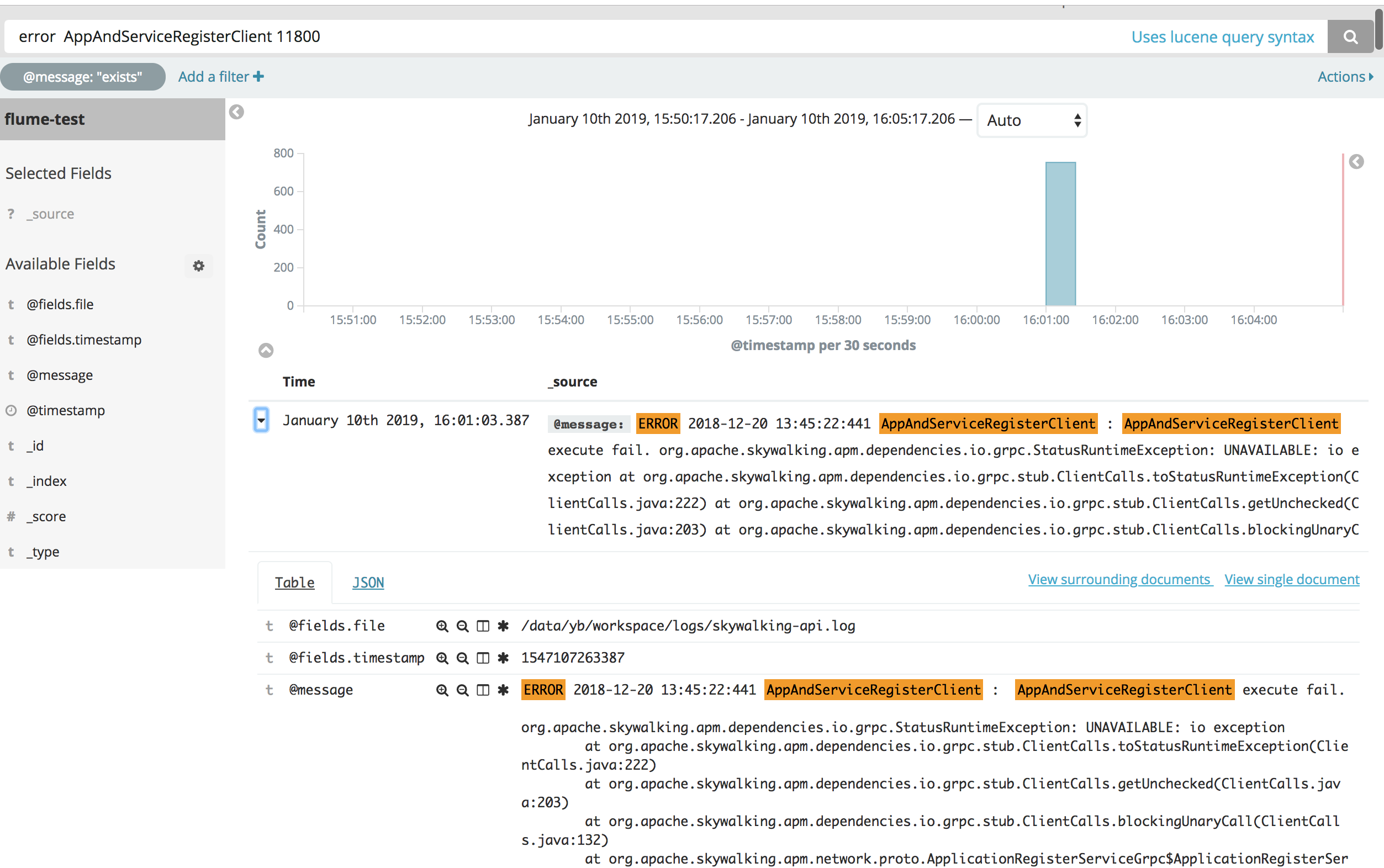
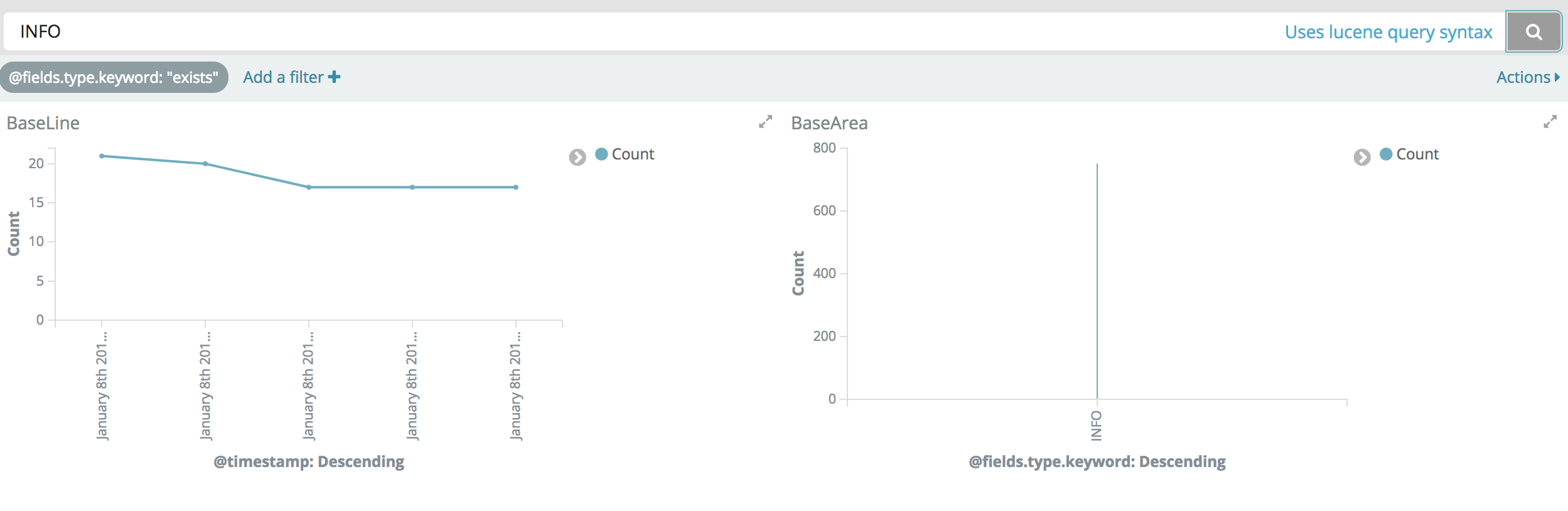
基础查询 基于Lucene查询语法 如输入@type: INFO,则将所有@type字段为INFO的文档搜索列举出来
为了指定复杂的查询条件可以用布尔操作符 AND , OR , 和 NOT
如果不打引号"",则@message: servlet web,会搜索servlet,web两个关键词
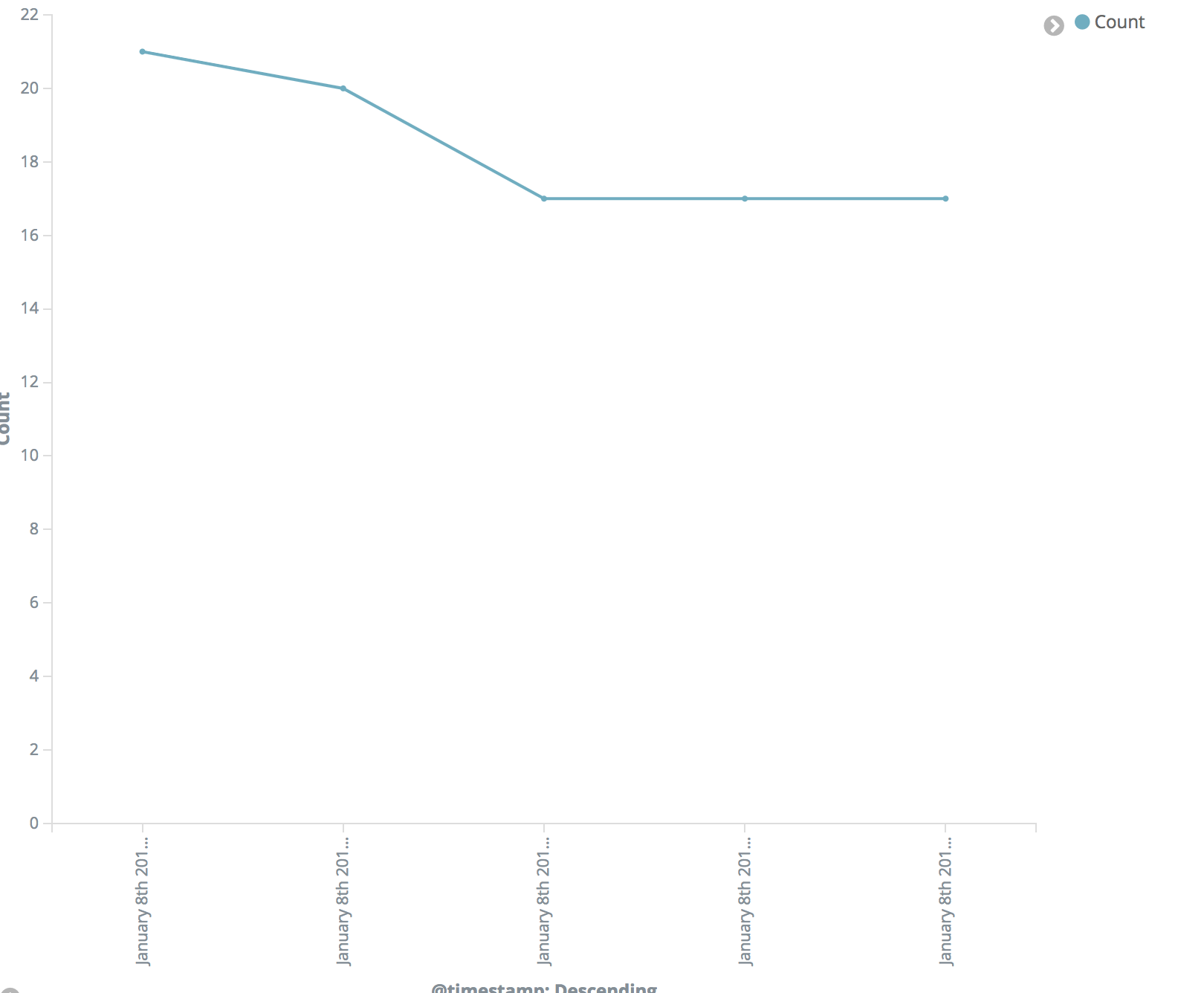
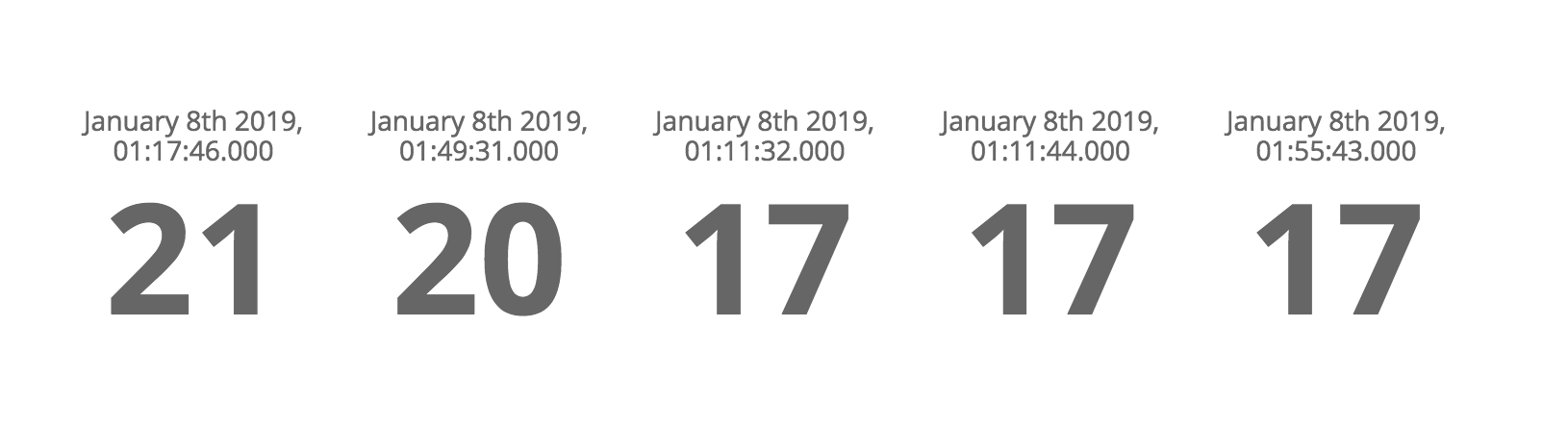
Visualize Line
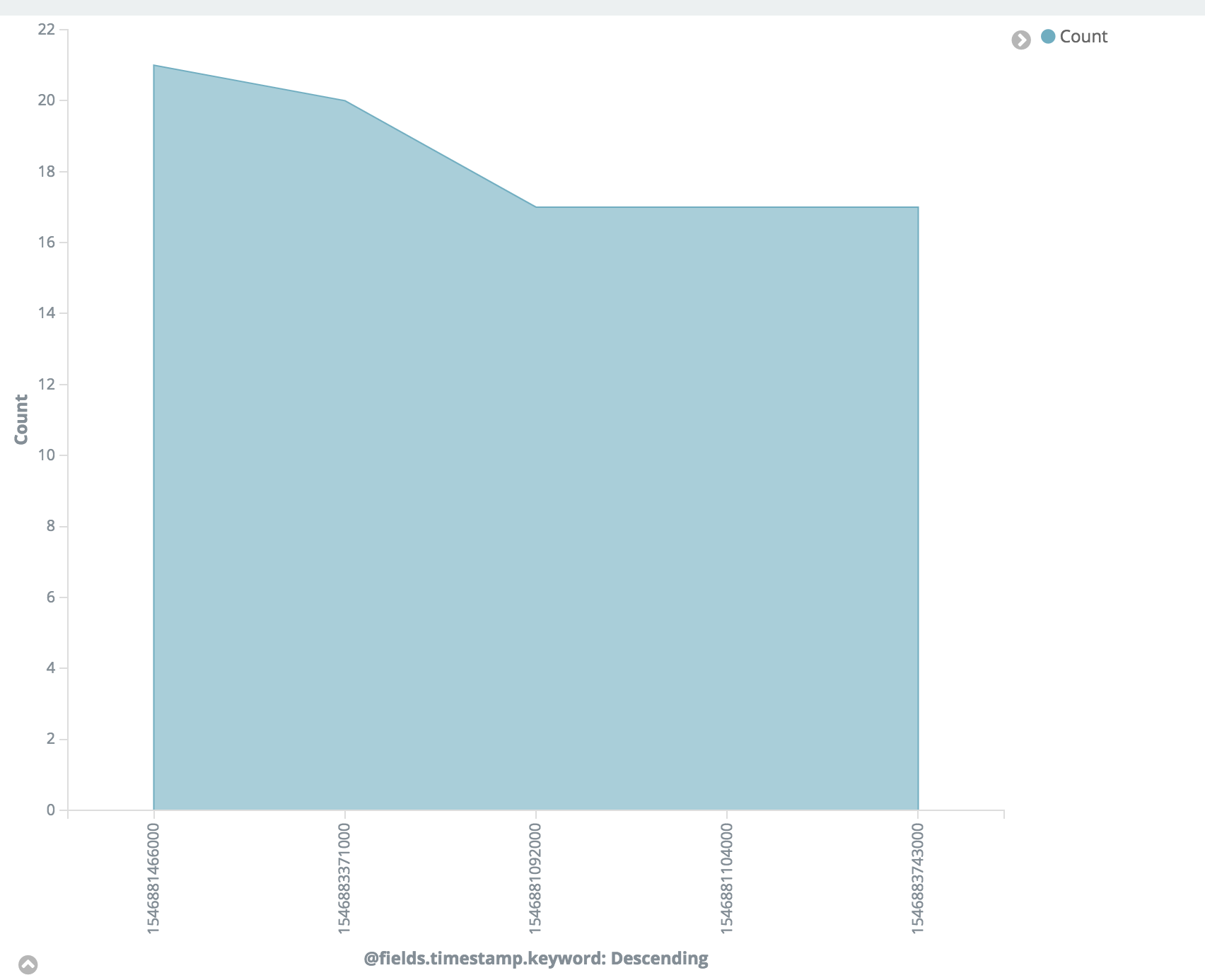
Area
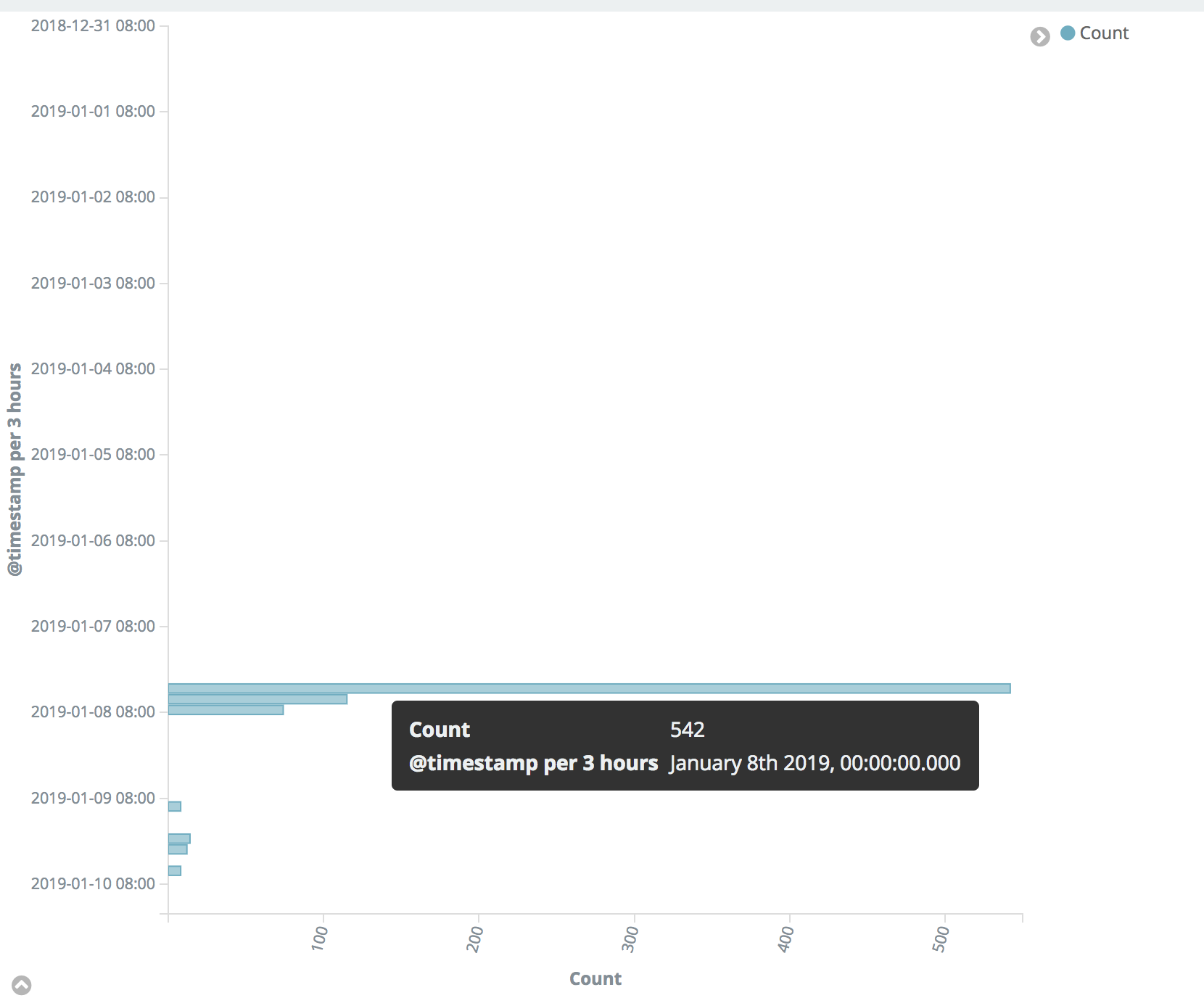
HorizontalBar
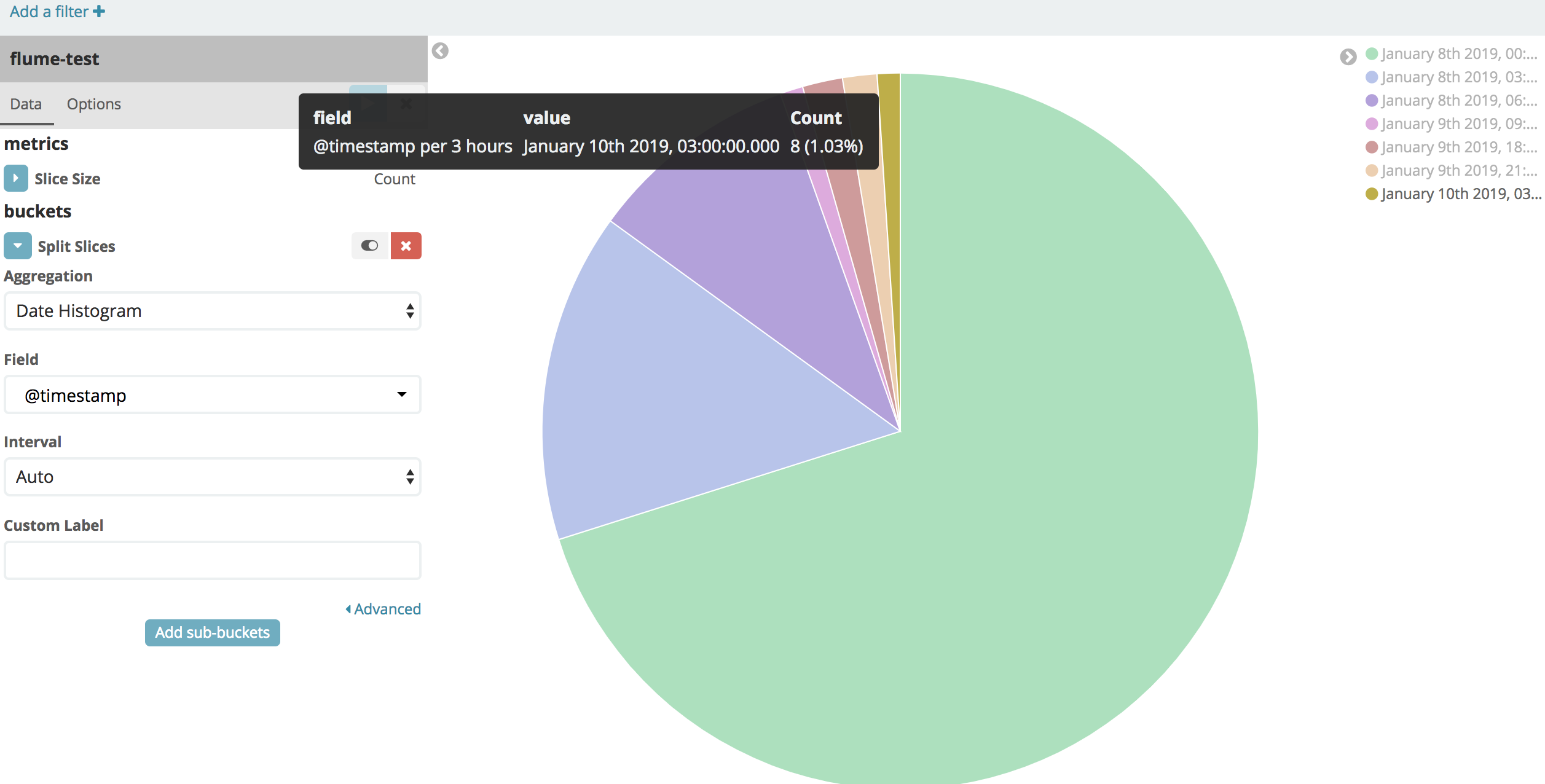
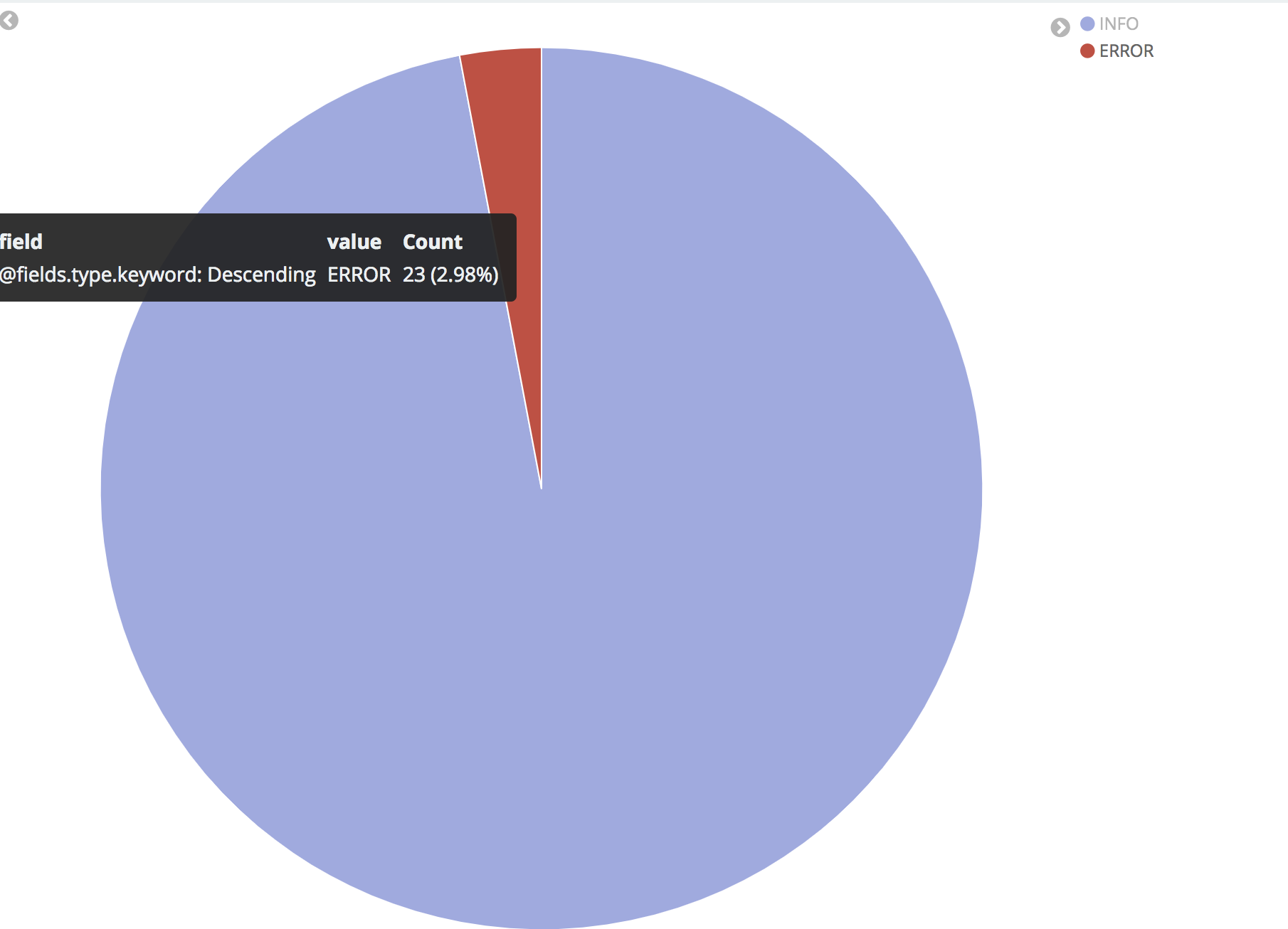
Pie
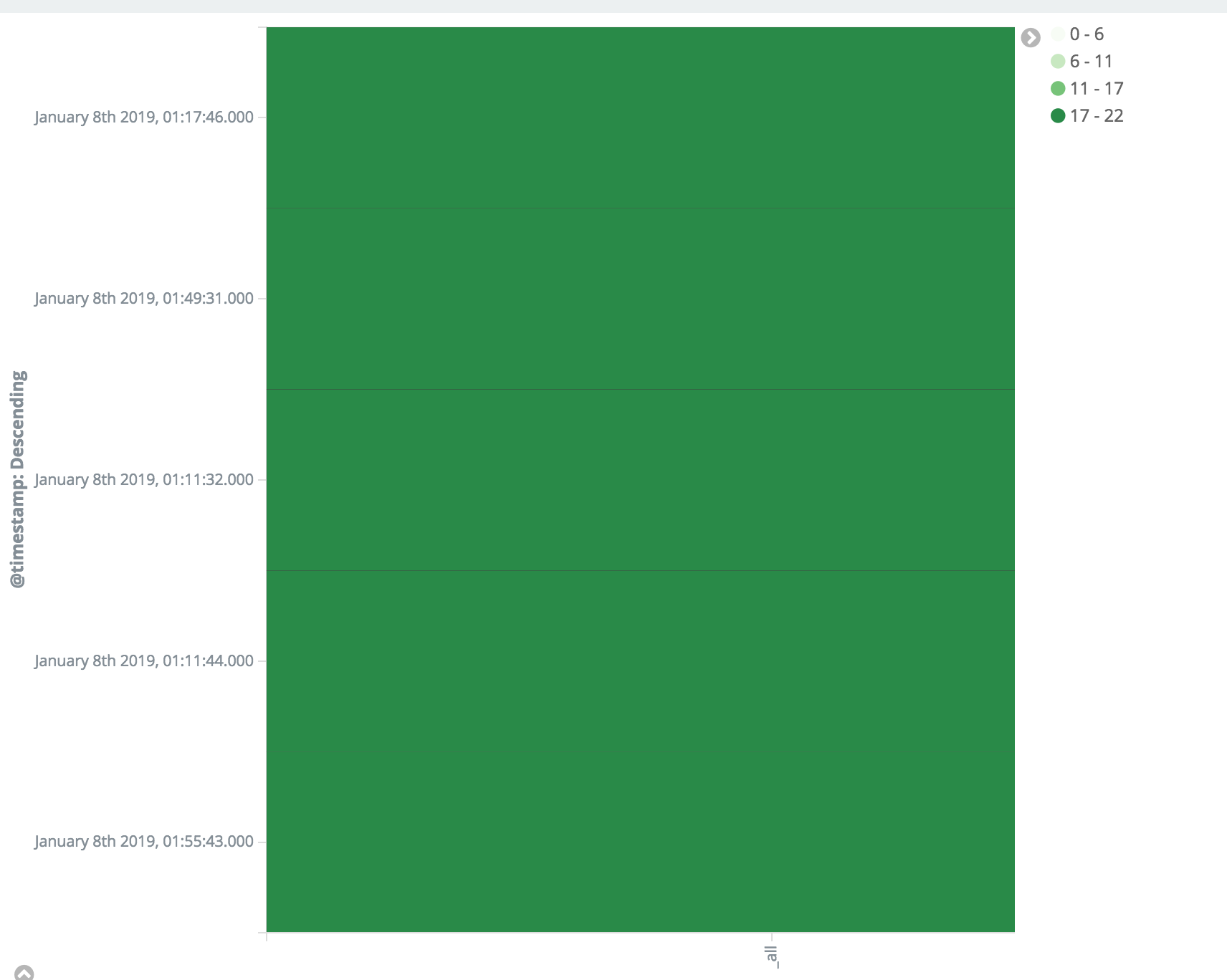
HeatMap
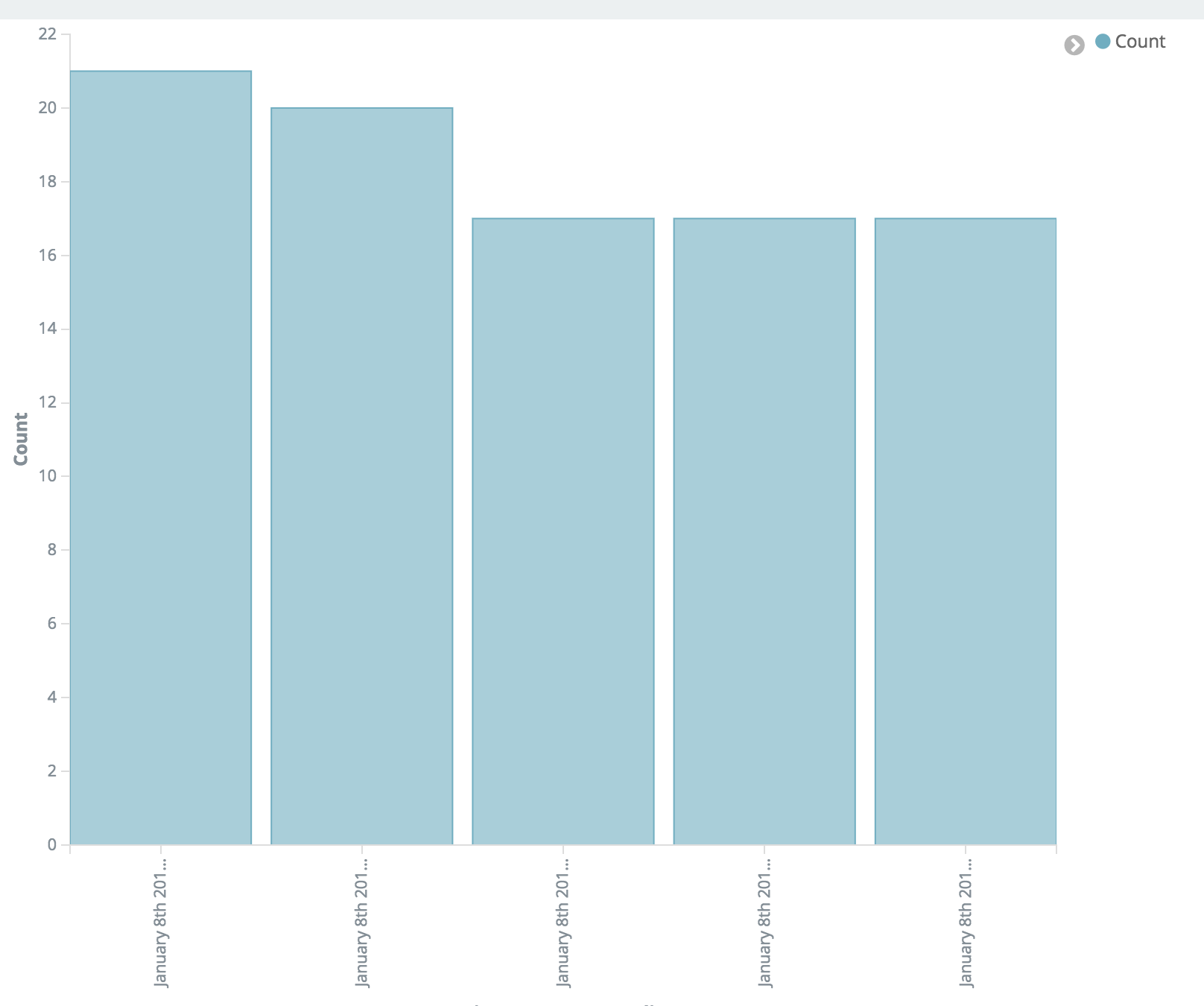
VerticalBar
Metric
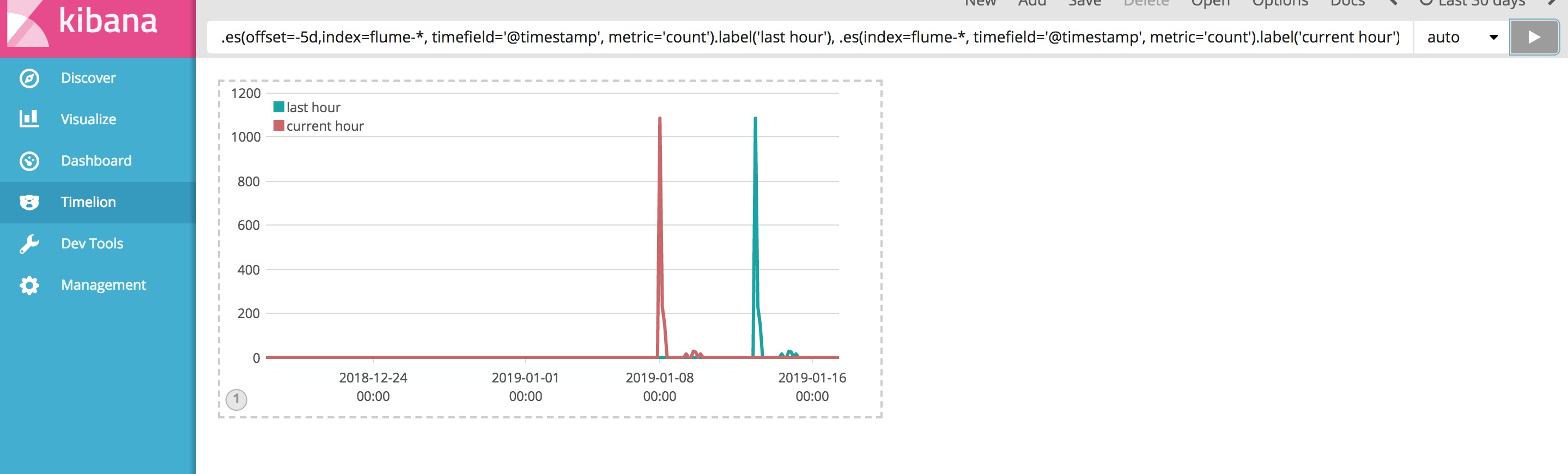
Timelion
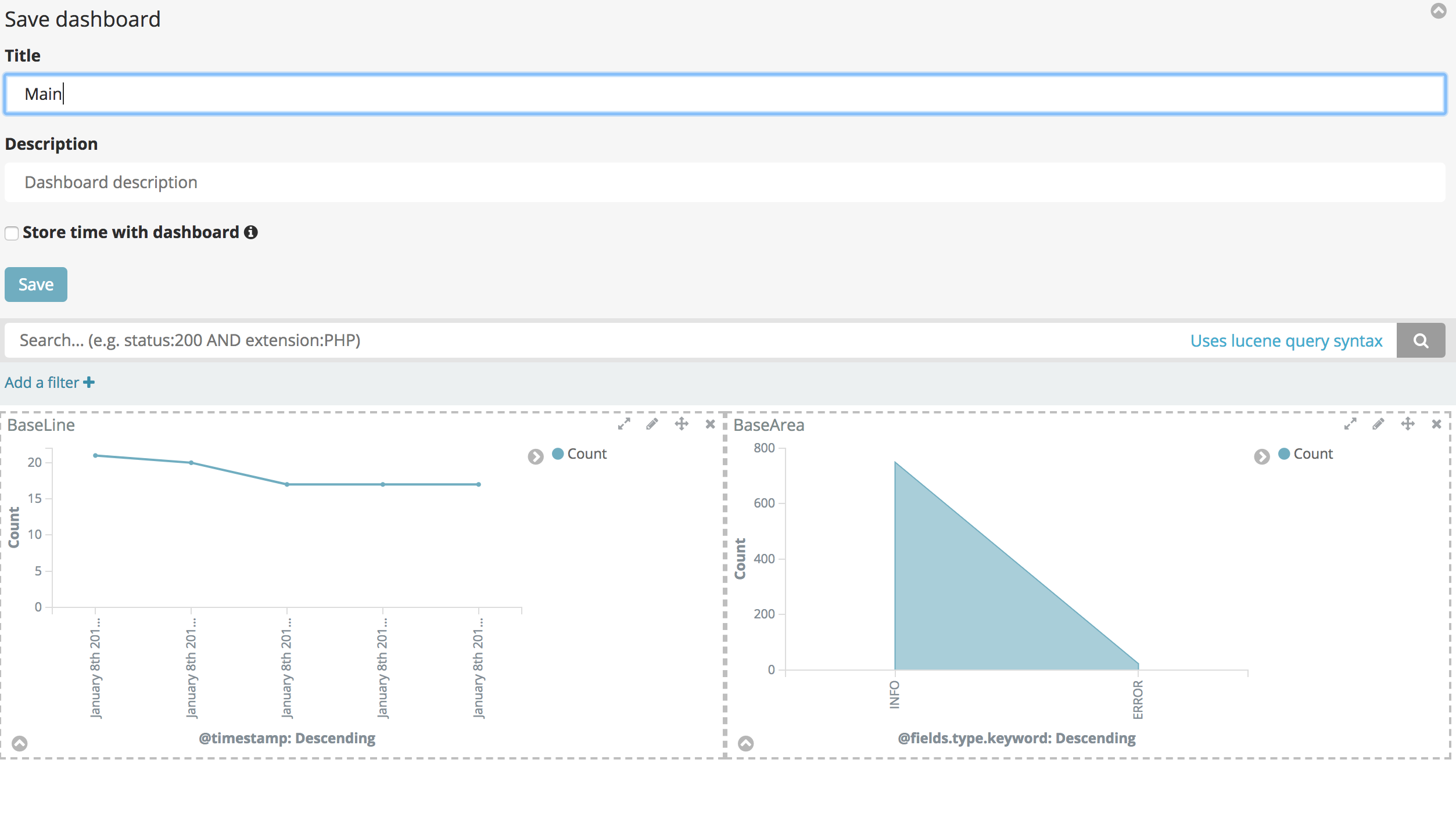
DashBoard 通过之前制造的各类图表放入仪表盘,然后通过search可以搜索具体呈现的各类仪表
未完待续……..

国内查看评论需要代理~